

Police Panda Robot
Transformation connects a panda character to a mechanical city-defense role.
Play Police Panda RobotFollow a connection
Where else does this idea lead? The following selections connect to Police Panda Robot through the catalog details named below.
Protecting someone or something
Defense and rescue share a protective goal, but one may stop a threat while another makes a safe route possible.
 Goalkeeper Challenge
The familiar goal changes meaning when you guard it; the ball becomes a threat instead of your scoring tool.
Animals and unusual characters
Animal characters can be pieces, companions or protagonists. Compare what role the character plays in the task.
 Like A Dino
Catching notes connects musical timing to visible growth in the dinosaur character.
Defending against threats
Protecting a place gives the choices a shared purpose, while towers, arithmetic and upgrades provide different means.
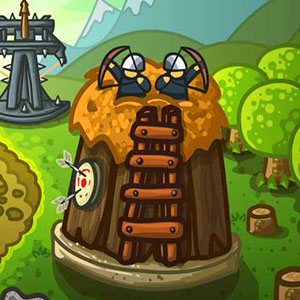 Defense Math
Equations connect to an endangered base, giving numerical decisions a second layer of meaning beyond getting an answer.
About this edition's selection method. These are catalog-based introductions and comparisons, not hands-on reviews. Controls and current rules come from the game provider.
Getting started
- Select Play to open the game's launch page.
- Review the external provider and choose Load game. This connects your browser to the game host.
- Follow the game's on-screen instructions. Use touch on a supported phone, or the mouse and keyboard controls shown by the game on desktop.
For a smoother session
Let the game finish loading before interacting. A recent browser and stable connection work best. Sound, touch support and orientation vary by game; check its own settings. If it fails to load, try the direct provider link on the launch page or choose a different game.